
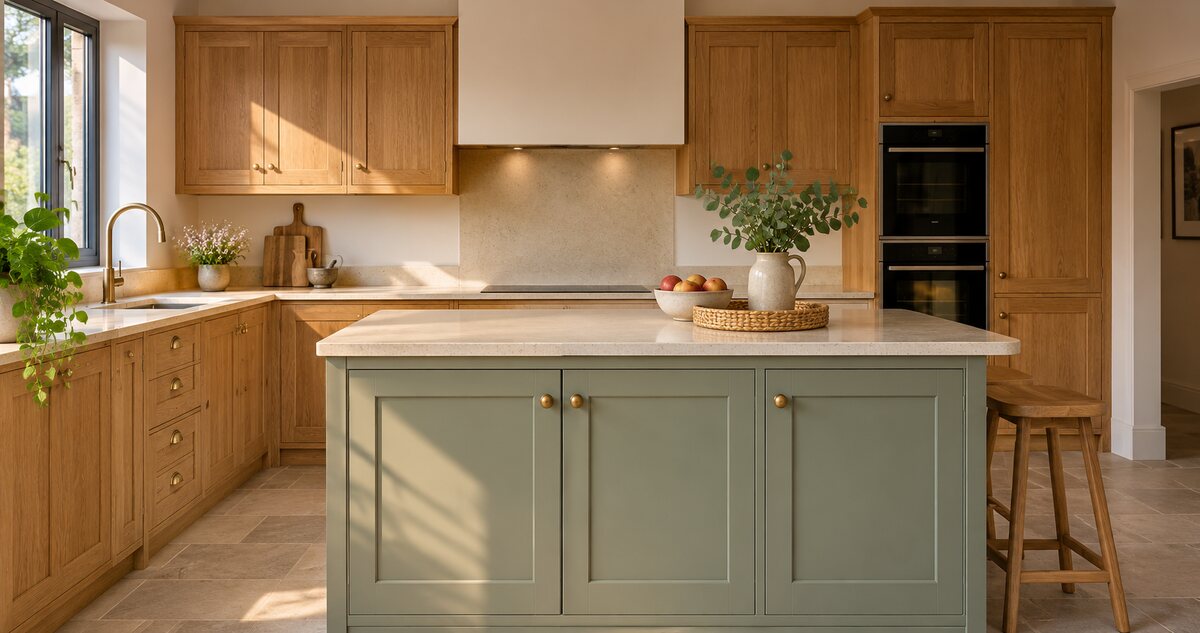
A kitchen fitter has three usable photos on their phone when they leave a completed job. There’s the wide shot, a close-up of the island and a photo taken from the same corner before work began. A week later, there’s still only one caption in the draft folder. Give each post a separate question to answer and the pictures have more work to do.
Show what changed
Open with the finished photo. Follow with the before photo from roughly the same angle, using the same crop if you can. Tell people what the customer wanted to change in one sentence. In this example the brief was to gain storage and keep a clear path into the kitchen. Viewers can see the result and understand why it was laid out that way.
End with an enquiry prompt that fits the job. “Planning a kitchen update? Send us your town and a photo of the room” gives someone an easy way to start a conversation.
Explain one decision up close
A few days later, use the island detail. Explain something a buyer can use when planning their own project. You might show why drawers went under the prep surface and what the owner can now reach without crossing the room. If the useful detail is in a cupboard, take a photo with its door open.
Put the useful detail in the first line of the caption. The photo and the explanation should tell the same story.
Answer a question you hear before a quote
Use the third post to answer a question that comes up on enquiries. For example, “What photos should I send for an initial kitchen quote?” Ask for a wide view of the room, approximate dimensions and one thing they want to change. Explain what you can estimate from those details and when you’ll need a visit.
One job over one week
- Monday. Before and after photographs with the reason the layout changed.
- Wednesday. A close-up explaining why the island gained deep drawers.
- Friday. A short answer telling buyers what to send for an initial quote.
Got another job to photograph? Follow StartMadeSimple on LinkedIn for more ideas you can use on site.
Agree what the customer is comfortable sharing, then check the photos for addresses, family details or other identifying information. Keep the approved shots and the three captions together so the next project is easier to plan. See Amplio’s social media approach for construction and trades.
Comments
Join or sign in to leave a comment.
Already joined? Sign in
Signed in as
Keep it somewhere private so you can sign in again on another device.